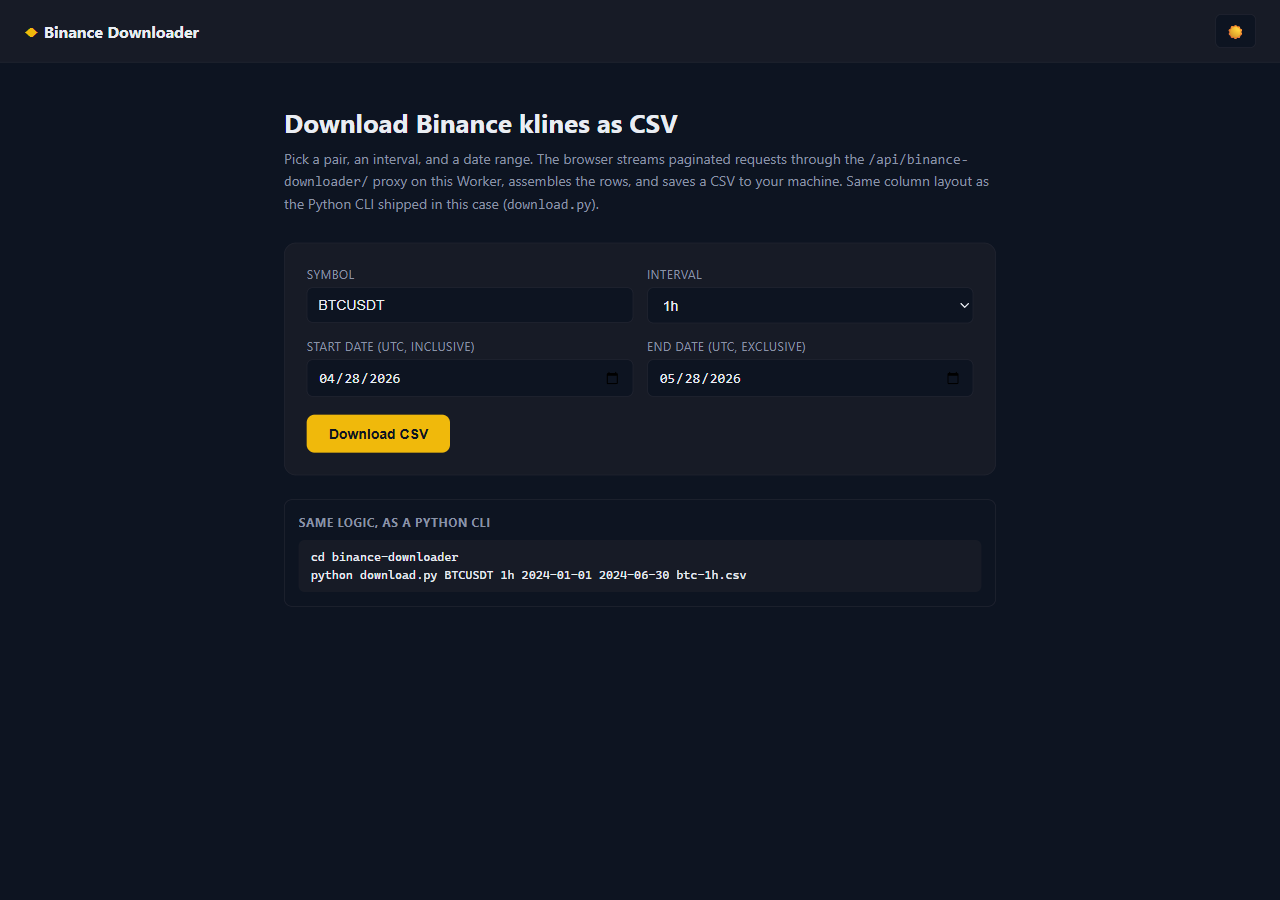
Two implementations, one CSV. A browser page that fills out a form, streams paginated requests through a Cloudflare Worker proxy, assembles the rows in memory and triggers a download via Blob + <a download>. And a Python CLI that does the same thing on your machine, writing straight to disk. Both come from the vike-io/demo-trading-apps monorepo, and they emit identical columns.
Live demo: demo.vike.io/binance-downloader/.
How it works
Binance's /api/v3/klines endpoint caps you at 1000 rows per request. To pull a wider window, both versions step through [start, end) in chunks of interval_ms × 1000, then advance the cursor to one bar past the last row they actually received. That's what avoids re-fetching the previous chunk's tail when boundaries don't fit cleanly into the chunk size.
A small sleep between requests keeps the weight budget comfortable. Binance's 12th "ignore" column is dropped in both versions, so the CSV stays at 11 columns.
The browser version doesn't hit Binance directly — it calls /api/binance-downloader/klines on the monorepo's Cloudflare Worker, which forwards the request upstream and re-attaches CORS headers. The Python CLI calls Binance straight from urllib.request.
The Python CLI
Standard library only. Run it like:
cd binance-downloader
python download.py BTCUSDT 1h 2024-01-01 2024-06-30 btc-1h.csv
The interval map and the CSV column list are the contract both versions agree on:
CSV_COLUMNS = [
    "open_time", "open", "high", "low", "close", "volume",
    "close_time", "quote_volume", "trade_count",
    "taker_buy_volume", "taker_buy_quote_volume",
]

INTERVAL_MS = {
    "1m": 60_000, "3m": 180_000, "5m": 300_000, "15m": 900_000,
    "30m": 1_800_000, "1h": 3_600_000, "2h": 7_200_000,
    "4h": 14_400_000, "6h": 21_600_000, "8h": 28_800_000,
    "12h": 43_200_000, "1d": 86_400_000, "3d": 259_200_000,
    "1w": 604_800_000, "1M": 2_592_000_000,
}
One paginated request:
def fetch_chunk(symbol, interval, start_ms, end_ms):
    qs = urllib.parse.urlencode({
        "symbol": symbol,
        "interval": interval,
        "startTime": start_ms,
        "endTime": end_ms,
        "limit": LIMIT,
    })
    req = urllib.request.Request(
        f"{BINANCE}?{qs}",
        headers={"accept": "application/json"},
    )
    with urllib.request.urlopen(req, timeout=30) as res:
        return json.loads(res.read())
The paging loop is a generator. Note the cursor advance — rows[-1][0] + INTERVAL_MS[interval] moves one bar past the last open_time we received, so the next page doesn't re-fetch it:
def stream(symbol, interval, start_ms, end_ms):
    step = INTERVAL_MS[interval] * LIMIT
    cursor = start_ms
    page = 0
    while cursor < end_ms:
        page += 1
        chunk_end = min(cursor + step, end_ms)
        rows = fetch_chunk(symbol, interval, cursor, chunk_end)
        if not rows:
            break
        for r in rows:
            yield r[:11]  # drop Binance's "ignore" field
        cursor = rows[-1][0] + INTERVAL_MS[interval]
        time.sleep(0.15)
main() just drains the generator into csv.writer — no buffering, rows hit disk as they arrive:
with open(out_path, "w", encoding="utf-8", newline="") as fp:
    w = csv.writer(fp)
    w.writerow(CSV_COLUMNS)
    for row in stream(symbol, interval, start_ms, end_ms):
        w.writerow(row)
The browser version
The form lives in templates/index.html; the build step substitutes {{api_base}} for /api/binance-downloader and renders the page into dist/. The JS mirrors download.py almost line-for-line — same column list, same interval map, same paging strategy.
A single request:
async function fetchChunk(symbol, interval, startMs, endMs) {
  const url = `${API}/klines?symbol=${encodeURIComponent(symbol)}&interval=${interval}`
    + `&startTime=${startMs}&endTime=${endMs}&limit=${LIMIT}`;
  const res = await fetch(url);
  if (!res.ok) {
    const body = await res.text().catch(() => "");
    throw new Error(`Binance ${res.status}: ${body.slice(0, 160)}`);
  }
  return await res.json();
}
The paging loop runs in the browser, logging each page into the on-screen progress panel as it goes:
const step = INTERVAL_MS[interval] * LIMIT;
let cursor = startMs;
let page = 0;
const rows = [];
while (cursor < endMs) {
  page += 1;
  const chunkEnd = Math.min(cursor + step, endMs);
  const chunk = await fetchChunk(symbol, interval, cursor, chunkEnd);
  if (!chunk.length) break;
  const firstTs = new Date(chunk[0][0]).toISOString().slice(0, 10);
  const lastTs = new Date(chunk[chunk.length - 1][0]).toISOString().slice(0, 10);
  log(`  page ${page}: ${chunk.length} rows, ${firstTs}…${lastTs}`);
  for (const r of chunk) rows.push(r.slice(0, 11));
  cursor = chunk[chunk.length - 1][0] + INTERVAL_MS[interval];
}
Each fetched page is logged into an on-screen panel so you can watch the run unfold; when the loop ends, the file is saved with a generated name:
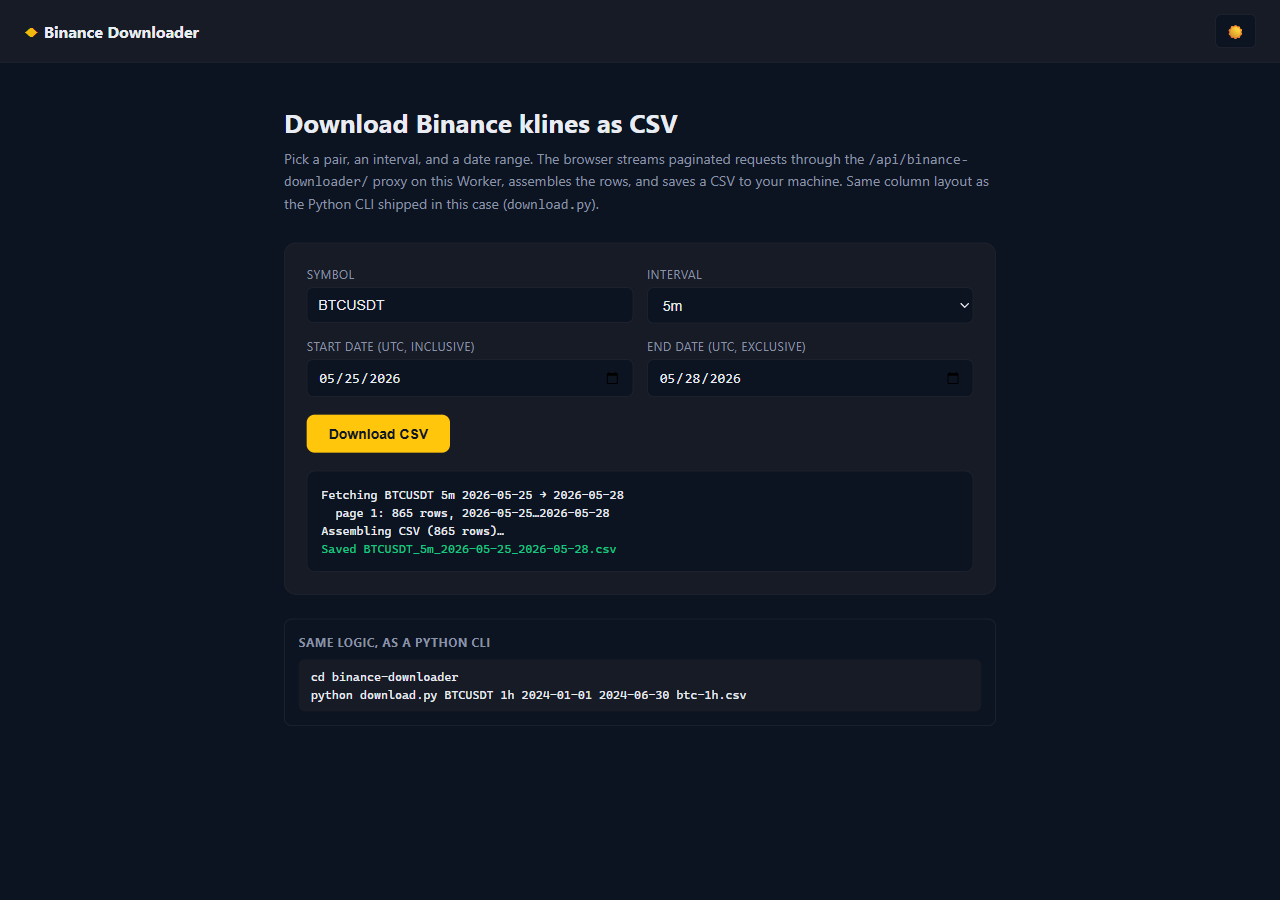
CSV assembly + browser download. The whole file is built in memory and saved through an object URL — no backend processing, no temp files:
const csv = [
  CSV_COLUMNS.join(","),
  ...rows.map(r => r.map(csvCell).join(","))
].join("\n");

const blob = new Blob([csv], { type: "text/csv;charset=utf-8" });
const fname = `${symbol}_${interval}_${startStr}_${endStr}.csv`;
const a = document.createElement("a");
a.href = URL.createObjectURL(blob);
a.download = fname;
document.body.appendChild(a);
a.click();
a.remove();
The CSV-cell escape is defensive — Binance never emits commas in numeric fields, but the quoter is there in case a future field carries one:
function csvCell(v) {
  const s = String(v);
  return /[,"\n]/.test(s) ? `"${s.replace(/"/g, '""')}"` : s;
}
CSV schema
Eleven columns, identical across both versions:
| Column | Source |
|---|---|
open_time |
row[0] (ms epoch) |
open |
row[1] |
high |
row[2] |
low |
row[3] |
close |
row[4] |
volume |
row[5] |
close_time |
row[6] (ms epoch) |
quote_volume |
row[7] |
trade_count |
row[8] |
taker_buy_volume |
row[9] |
taker_buy_quote_volume |
row[10] |
Gotchas
- Rate limit. 150 ms between pages keeps you well under Binance's 1200 weight/min budget (klines is weight 2). A year of
1mbars is ~525 requests — about a minute of wall time. - Cursor advance. Using
rows[-1][0] + interval_msrather than+ 1avoids re-fetching the last bar on the next page. The+ 1trick works for most intervals but produces an off-by-one when chunk boundaries land exactly on a bar open. - UTC dates. Both versions interpret
YYYY-MM-DDas UTC midnight. Local-time inputs would silently shift bars by your timezone offset. - Browser CORS. The browser version goes through the Worker proxy because Binance's response headers aren't friendly to cross-origin
fetch(). Without the proxy the request would succeed incurlbut fail in the browser. - Symbol naming. Binance uses
BTCUSDT, notBTC-USD. Theccxtlibrary normalizes this if you'd rather not think about it.
That's the whole case — one Python file, one HTML template, one Worker route. The next tutorial uses these CSVs to feed a 30-day momentum signal across the top 50 pairs.